Invite friends to sign up and both earn free credits! Click to get your invite link.

Free AI Image Generator

Turn your ideas into visuals with the free AI image generator from EditPix AI. Create photos, illustrations and concept art from text, or start with a reference image. Explore styles and find the right look for your next project.

  • No design skills needed
  • Multiple leading AI models
  • Free credits
Generate an Image for Free

Trusted by 1,000,000+ creators

For artists, creators, and teams

Free AI Image Generator workspace

Describe what you want to generate

0/3000

Quality for the generated image

Number of images to generate at once

Format of the output images.

This generation costs 10 credits · Available balance: 0 credits

Image 1


My Creations

If download doesn't start, right-click (or long-press on mobile) the image and select "Save image as"

Leading AI models, all in one place

  • Google
  • OpenAI
  • ByteDance
  • xAI
  • Gemini
  • Grok

Free AI Image Generator Features

Create from a text prompt or a reference image. Explore visual styles, compare models and turn a rough idea into something you can show.

AI Image Generator from Text

Use an AI image generator from text to turn a description into a photo, illustration or design concept. Specify the subject, setting, lighting and style to shape the result.

AI Image Generator from Image

Start with an AI image generator from image references when you already have a visual direction. Upload a photo or artwork and describe the scene, style or composition you want to explore.

Photos, Illustrations and Digital Art

Create studio-style photos, watercolor scenes, 3D illustrations and character concepts. The free AI image generator helps you explore a look before committing to a final design.

Images Sized for Your Project

Choose a supported aspect ratio for a square post, portrait image or wide banner. Include space for headlines or product details in your prompt when planning a layout.

Refine Your Image with a Prompt

Change the lighting, background or color palette and generate another version. Keep the useful parts of your description while testing one new detail at a time.

Multiple AI Models, One Workspace

Compare GPT Image, Nano Banana, Seedream and Grok in EditPix AI. Use the same creative brief to explore different interpretations without moving between tools.

Free AI Image Generator Examples

See text-to-image prompts and visual references for photos, illustrations and digital art. Use these examples as a starting point for your own creative direction.

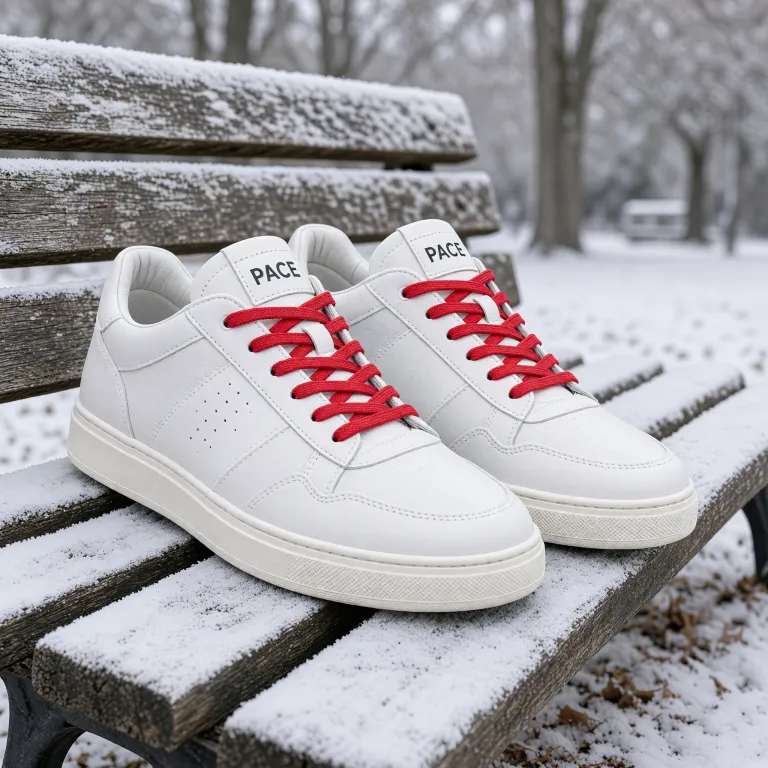
AI-generated white sneakers with red laces on a snowy park bench

Product photography

“White sneakers with red laces on a snowy wooden bench, soft winter light.”

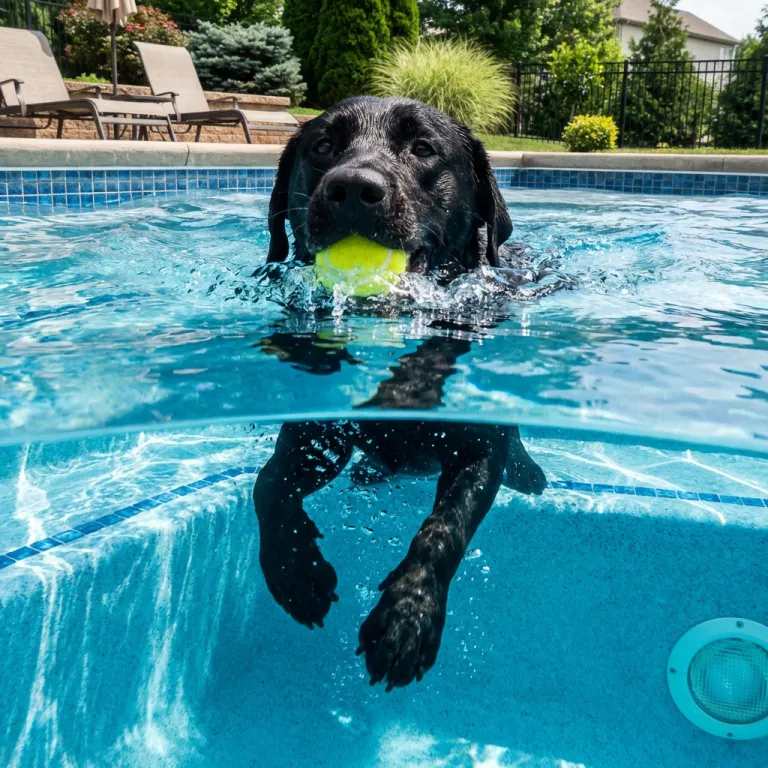
AI-generated split-level photograph of a black dog fetching a tennis ball in a pool

Creative photography

“A black dog fetching a tennis ball in a pool, a split-level view above and below the water.”

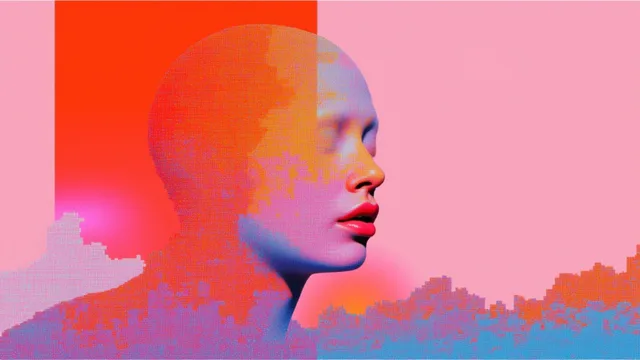
Seedream model artwork showing a profile portrait against bold pink and orange color blocks

Editorial portraits

Explore bold color blocks and a graphic treatment for a portrait-led visual.

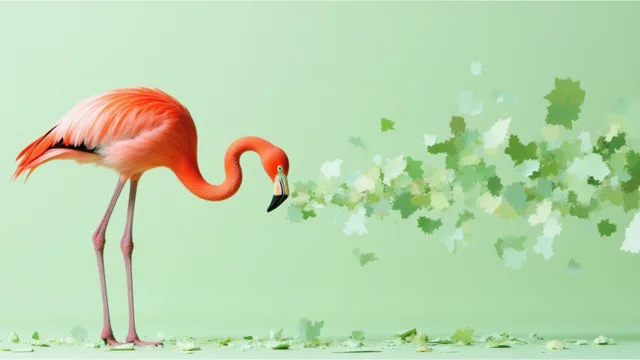
Nano Banana model artwork of a flamingo beside floating green paper-like shapes

Surreal illustrations

Imagine an unexpected subject, a simple backdrop and a playful visual effect.

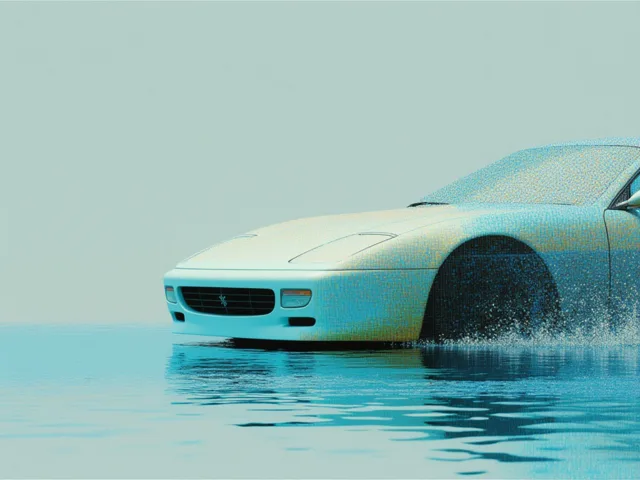
Nano Banana Pro model artwork of a pale sports car reflected in water with a digital texture

Automotive concepts

Try a cinematic product scene with reflections, restrained colors and a strong focal point.

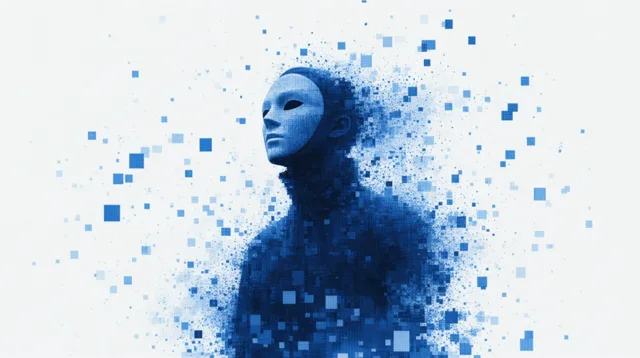
GPT Image model artwork of a blue sculptural figure dissolving into pixel-like shapes

Digital art directions

Use texture, color and an imagined subject to explore a distinctive digital-art style.

How to Use the Free AI Image Generator

  1. Start with text or an image

    Write a prompt with your subject, setting, style and lighting. For reference-led creation, choose a model that supports image inputs and upload the picture you want to build on.

  2. Choose a model and generate

    Select an AI image model and a supported aspect ratio. Review the credit cost, then generate a visual from your text or image reference.

  3. Refine and download your image

    Preview your result and adjust one part of the prompt to explore another version. Download your favorite image or open the editor for more targeted photo changes.

AI-Generated Images for Your Next Project

Make a first draft for a real project, from an everyday social post to a new visual identity.

Social Posts and Video Thumbnails

Create a visual hook for a post, campaign or thumbnail with the free AI image generator. Describe a bold subject, a clear background and room for your message.

Product and Brand Concepts

Generate styled product scenes and campaign ideas from text. Use an image reference when you want to explore variations around an existing product or brand direction.

Moodboards and Concept Art

Turn a rough idea into an image you can share. Explore settings, color palettes and art directions before investing in photography, illustration or production.

Illustrations and Visual Stories

Use an AI image generator from text for character concepts, book illustrations and presentation graphics. Describe the scene and mood, then refine the result for your story.

Free AI Image Generator Reviews

Text prompts, image references and visual ideas for brands, stories and creator content.

Lena Hart

Brand Designer

The free AI image generator helped me turn a short campaign brief into visuals I could discuss with my team. I described the subject, lighting and color palette, then tried a few compositions. EditPix AI gave the moodboard a direction before we planned the final shoot.

Oliver Quinn

Online Store Owner

I wanted an AI image generator from image references so I could build on an existing product photo. I described a new setting while keeping the product as the focus. Comparing several scenes helped me choose a look that matched the rest of my store.

Sienna Blake

Illustrator

Using an AI image generator from text is a practical way to test a story scene. I included the character, setting and illustration style in my prompt, then refined the lighting. The results helped me explain the mood I wanted before drawing the finished artwork.

Theo Martin

Video Creator

I explored the image generator for free with no sign up before trying my own prompts. I could see examples and think through a thumbnail idea first. After testing with trial credits, I had a few compositions to compare instead of starting from a blank canvas.

Amara Ellis

Art Director

This free AI image generator makes early visual exploration feel focused. I can move between photography, 3D illustration and digital art using the same brief. EditPix AI helps me find a direction, and I can bring a promising result into the editor for more specific changes.

Rowan Lee

Independent Game Developer

I use text-to-image prompts and reference images to explore character silhouettes and environments. Being able to compare models in one place is useful when the first interpretation is not quite right. I keep the strongest concept and refine one detail at a time.

Start Free, Create More

Explore image generation with free credits, then add a plan or credit pack for your next creative project.

Subscriptions

For regular editing and generation. Choose a plan that fits your workflow.
  • Full plan credits delivered upfront
  • Unused credits never expire
  • Cancel future renewals anytime

Credit packs

Need more credits for a project? Make a one-time purchase when you need it.
  • Buy only what you need
  • Credits stay valid forever
  • One-time payment, no recurring charges

Secure payment · Cancel anytime

Free AI Image Generator FAQ

Answers about text prompts, image references, free trials and the next steps for your generated images.

What is an AI image generator?
A free AI image generator creates a new visual from a text description or an image reference. EditPix AI brings image-generation models into one online workspace so you can try photos, illustrations and concept art with free trial credits.
Can I try an AI image generator for free with no sign up?
Explore image-generation examples, prompt ideas and the EditPix AI workspace with no sign up. Create an account when you are ready to generate and save images using trial credits. You do not need a credit card to start exploring.
How does an AI image generator from text work?
Describe your subject, setting and visual style, then choose a model and supported aspect ratio. The AI turns the prompt into an image. A specific description such as "a ceramic mug on a wooden table in soft morning light" gives your idea a clear direction.
How do I use an AI image generator from image references?
Upload a photo, drawing or other reference in a model that supports image inputs. Explain the new scene or style you want, as well as the details to preserve. Reference-led generation is useful for exploring variations without beginning from a blank canvas.
Is AI image generation free on EditPix AI?
New accounts receive free trial credits to test image generation. The credit cost depends on your selected model and settings and is shown before submission. Add a subscription or one-time credit pack if you need more images for your project.
What should I include in an AI image prompt?
Start with the subject, setting, style and lighting. Add composition details that matter, such as a close-up view or space for a headline. When refining a result, change one part of the prompt at a time rather than rewriting the whole idea.
Which AI image models can I try?
EditPix AI includes GPT Image, Nano Banana, Seedream and Grok. Check the model selector for available options and supported inputs. Different models can interpret the same prompt differently, so compare a few versions when exploring a visual direction.
Can I edit or enhance an image after generating it?
Yes. Download the image and open the Free AI Image Editor for targeted prompt-based changes. Explore an AI image enhancer to refine the look, or an AI image upscaler workflow when preparing a visual for a larger layout.
Can I turn a generated image into a video?
Use the Free AI Video Generator to explore image-to-video animation. Upload your image as a reference and describe the motion you want, such as a slow camera move or gently swaying leaves. Choose a model that supports image-to-video inputs.
Can I use AI-generated images commercially?
Commercial use depends on the selected model's terms and the content you create. Make sure you have permission to use uploaded references, and review the final image for likenesses, trademarks or other details before publishing it.
What purchase options does EditPix AI offer?
You can choose a monthly or annual subscription, or buy a one-time credit pack. Subscriptions offer better value than credit packs. You can cancel either subscription at any time to stop future renewals; credit packs are one-time purchases with no automatic renewal. Your credits never expire.
Can I permanently delete my account?
Yes. Go to Settings > Security and use Delete Account to permanently close your account. This action is irreversible and permanently deletes all data associated with your account. Please review the warning carefully and proceed only if you are sure.

Can't find what you're looking for? Contact our customer support team

Try the Free AI Image Generator

Describe your idea or bring a reference image. Create a new photo, illustration or visual concept with EditPix AI, then refine the direction that works for you.

Generate an Image for Free